


Textika
Markdown, without the fuss.
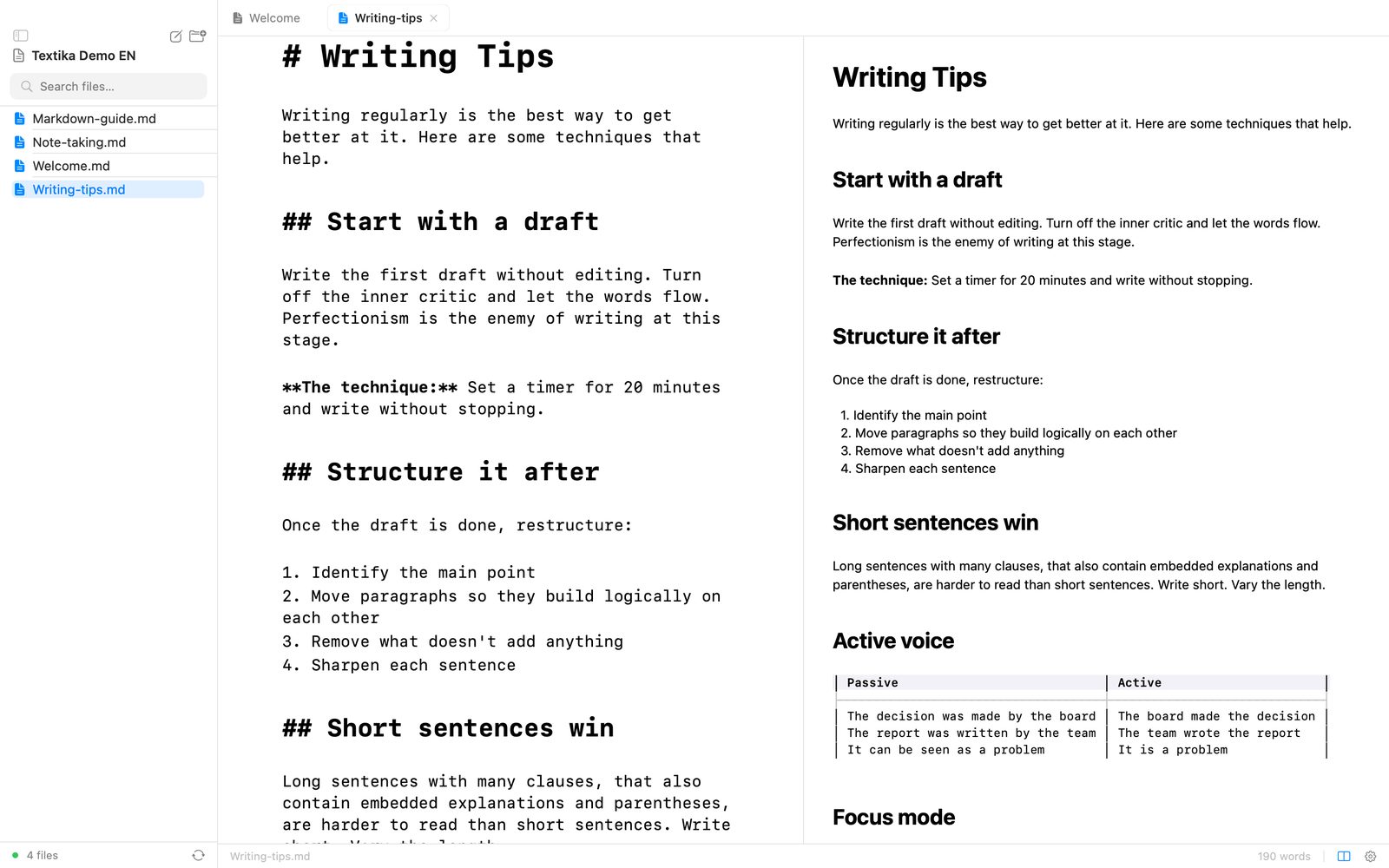
Textika is a Markdown editor for your Mac, built around folders, tabs and linked notes. Open a folder and start writing – the Markdown is highlighted as you type, and when you want to see the result, the preview sits right next to it. No web views, no Electron and no subscription.
Why Textika?
Your folders, your files
Any folder can be a workspace. Your notes stay plain .md files on your Mac, so you can open them in other apps too.
Notes that link up
Type [[Note name]] and ⌘-click to jump there. If the note doesn't exist yet, Textika creates it.
Keyboard first
Quick Open, a command palette and a Markdown cheat sheet, each one shortcut away.
Features
Writing
- Highlighting as you type: headings, bold, italic, code, links, WikiLinks and #tags
- Autosave every two seconds, and an orange dot when something isn't saved
- Word count, raw or without the Markdown syntax
- Focus mode (⌘⇧.) hides everything but the text
Preview
- Editor and rendered Markdown side by side (⌘\)
- A Markdown cheat sheet that slides in from the side (⌘/)
- Swipe sideways to show the sidebar or the cheat sheet
Files and folders
- Open any folder as a workspace, and get back to your latest ones
- File tree with search
- New file, rename, Move to Trash and Show in Finder
- Open .md and .markdown files straight from Finder
- Works with files outside a workspace too
Finding your way
- Several files open in tabs
- Quick Open (⌘P) finds any file in the workspace
- Command palette (⌘K) with every command
- Backlinks show which open notes link to the one you're in
How it works
- Open a folder.
Any folder with Markdown files, or a new one. Its files show up in the sidebar.
- Write.
The Markdown is highlighted as you go, and everything is saved automatically.
- Link and look.
Link notes with
[[…]]and open the preview with ⌘\ when you want to see the result.
Requirements
- Mac with Apple silicon or Intel
- macOS 14 Sonoma or later
Questions? See support and frequently asked questions.